Table of Contents
| Plan Availability | Starter | Pro | Premium | Enterprise |
 |
 |
|
|
For customers with contracts starting March 2024 or later, feature availability is based on your pricing tier. If interested, contact your CSM or our Sales Team to discuss pricing options.
By default, the series registration form only includes live and upcoming events.
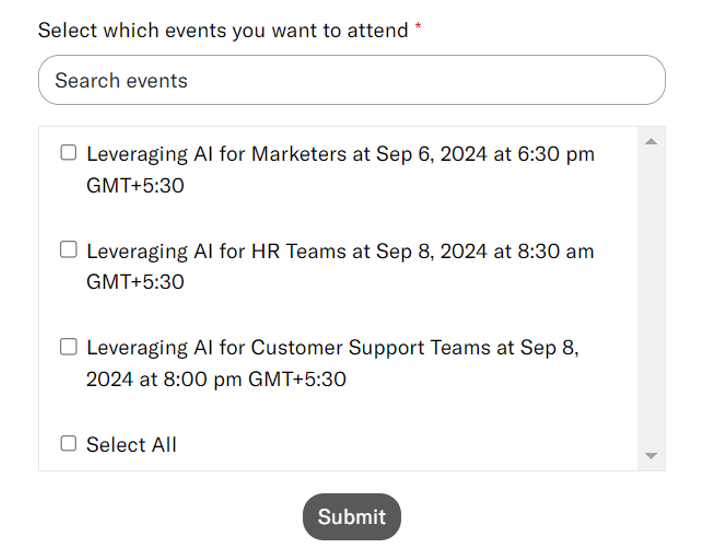
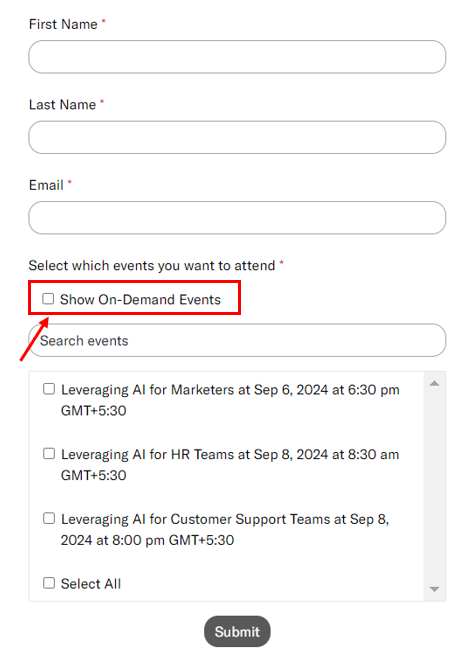
However, you can also choose to display on-demand events here. This is highly convenient for interested users, as they can sign up for past events in the series and view on-demand recordings at their convenience.
Note: The steps in this article apply to the series registration page hosted by Goldcast. If you embed your series form on an external page, add showOnDemandEventsInSeries: true to your embed configuration. For details, see Adding Your Goldcast Form to an External Registration Page.
In this article, we provide step-by-step instructions on how to add on-demand events to your series registration page.
How to add on-demand events to the series registration page
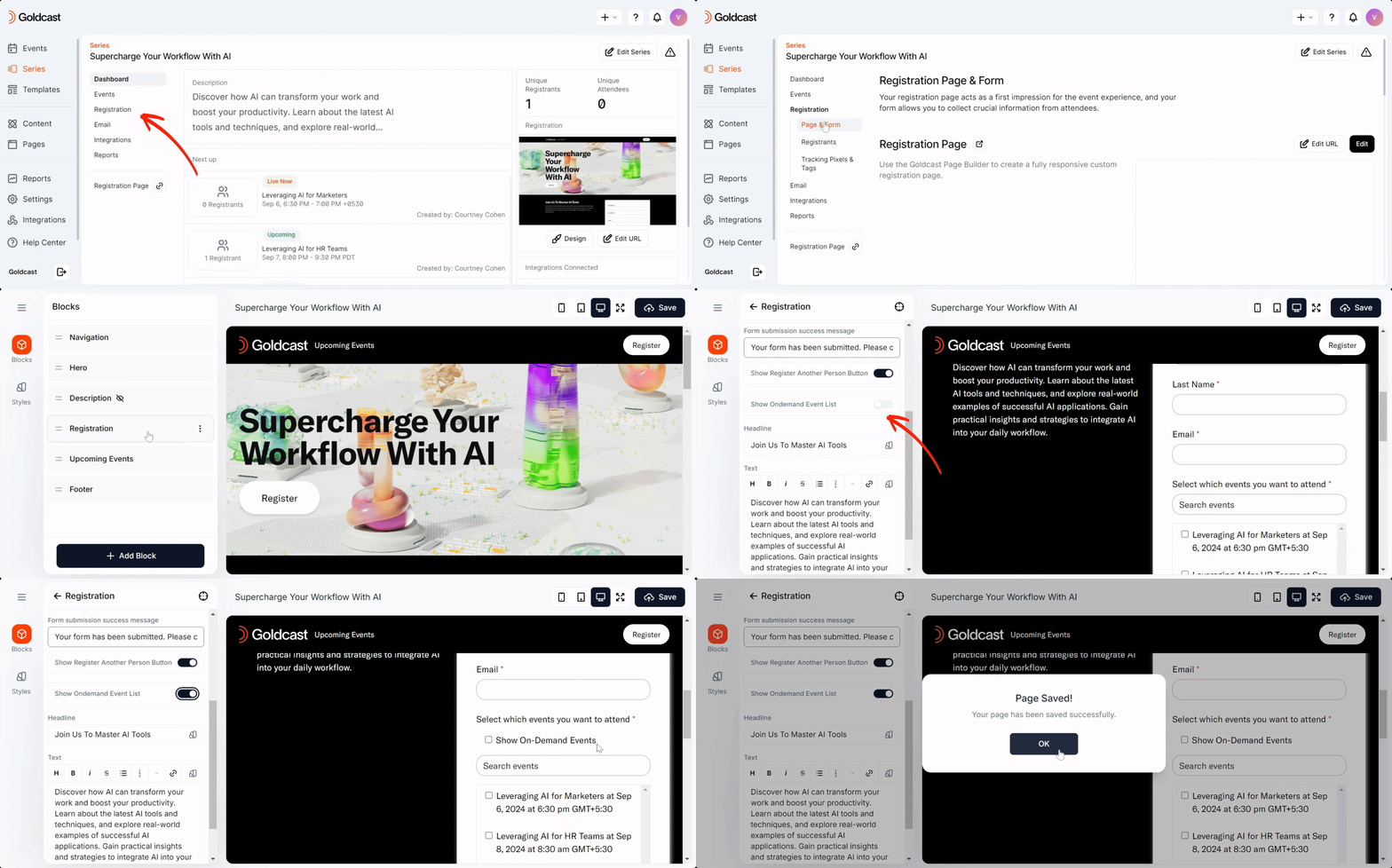
- Log in to Goldcast Studio and open your preferred series.
- Navigate to Registration → Page & Form using the left sidebar.
- Click the Edit button in the Registration Page section to open the Page Builder.
- Click the Registration block and turn on the Show OnDemand Event List toggle.
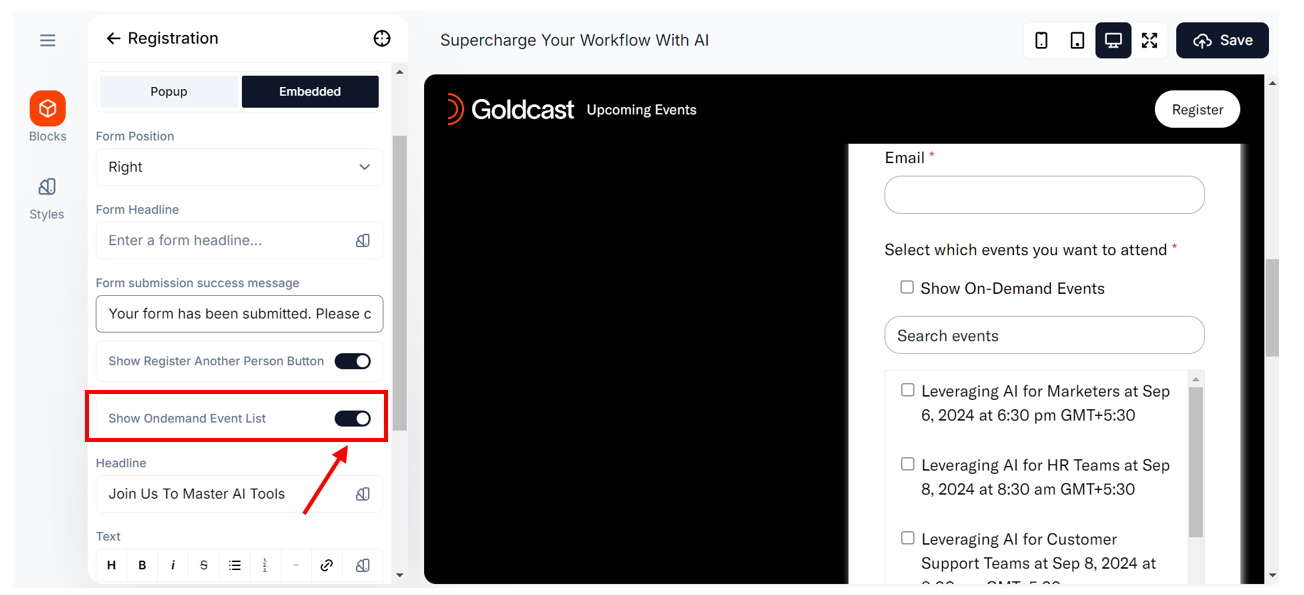
- Click the Save button at the bottom to complete the action.